
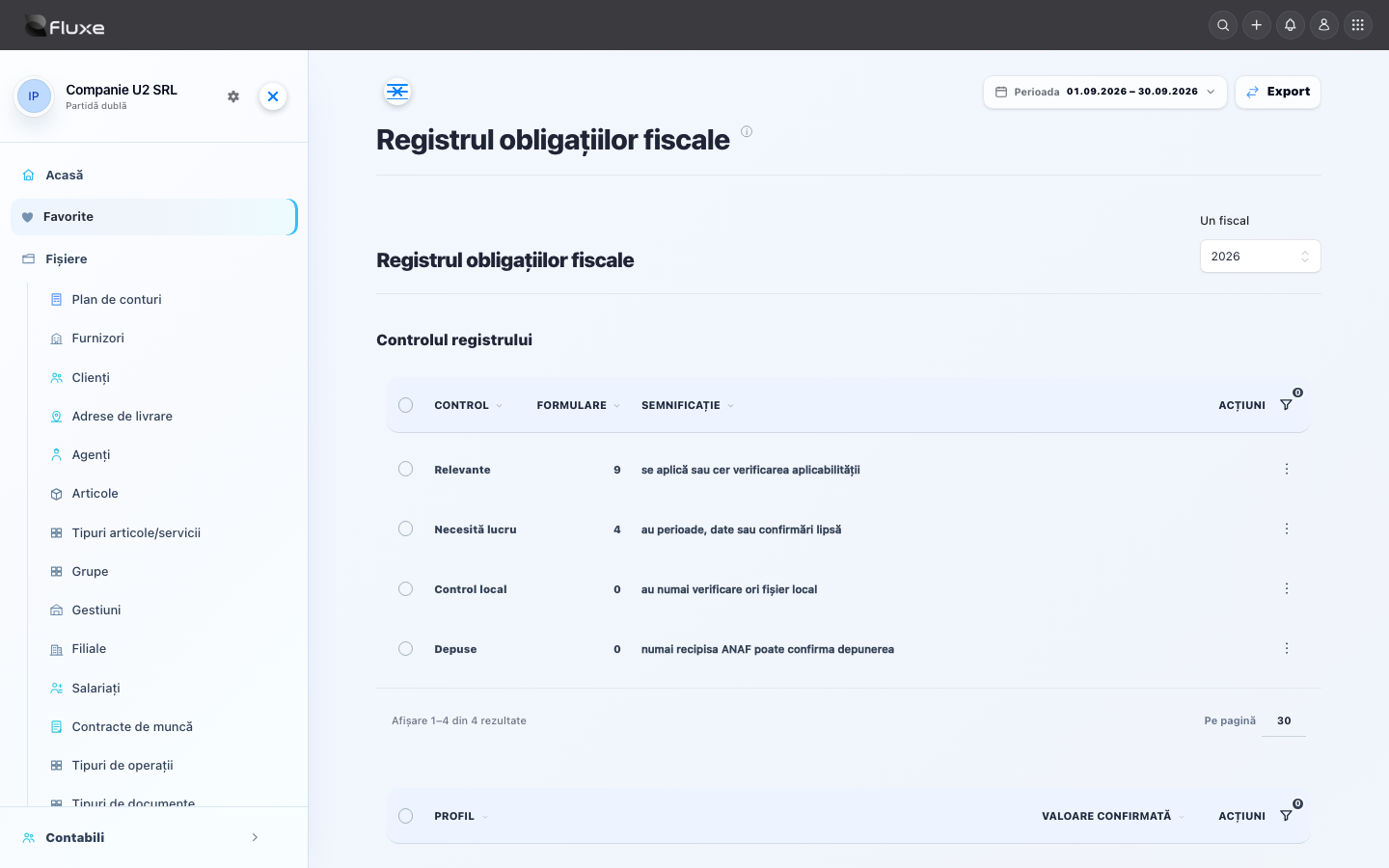
The Tax obligations register brings together returns that may become applicable to the company, tracked periods and filing evidence. Preparing and checking a file in Fluxe does not mean the return has been filed.
Information tracked on the page
The Applies column starts the analysis for the company and period; it does not replace checking the tax registration profile and actual situation.
The period status shows your progress through Fluxe checks. Submission is evidenced only after you retain the acknowledgment and check its message.
History keeps working versions, the submitted file and received evidence separately.
D100, D101, D112, D300, D301, D390, D394 and D406 start from the tax period containing the last day of the interval selected in Accounting. Check the form's period: it may be a month, a quarter, a cumulative interval or a year, and may differ from the general selection. When it differs, the page displays a warning before generation. In XML histories, use the following pages to find older versions.
For tax obligations whose statutory deadline is 25 December, the due date is 21 December. If 21 December is a non-working day, the last preceding working day applies. Accordingly, the deadline was 19 December in 2025 and is 21 December in 2026, under Article 155(2) of the Tax Procedure Code.
D390 retains the deadline of the 25th of the following month, extended to the first working day where applicable. For November transactions, the deadline is 29 December 2025 and 28 December 2026 respectively. The special 21 December rule does not apply to this information return.
Important! Check the official page for every submission. ANAF may update the application, form or completion requirements during the same year.
Verifică obligațiile fiecărei firme pentru perioada declarată. Nu toate declarațiile din listă se aplică tuturor firmelor: pornește de la vectorul fiscal, forma de organizare, operațiunile reale și perioada fiscală.
Distinge luna în care depui de perioada declarată: o declarație transmisă în octombrie poate privi septembrie, un trimestru anterior sau o rectificare. Pentru zile nelucrătoare verifică prelungirea legală; regimurile speciale pot avea reguli proprii.
Supporting documents
- The registration certificate, registered tax obligations, ANAF decisions on VAT and taxation, and accepted registration change returns.
- Purchase and sales invoices, correction invoices, supporting receipts, contracts and goods or service acceptance records.
- Statements for all bank accounts, receipts, the cash register, expense claims and offset documents.
- Stock, stocktake and fixed asset documents; employment contracts, timesheets and payroll records if you have employees.
- For double-entry bookkeeping: the opening trial balance and period registers. For single-entry bookkeeping: the Receipts and payments journal, Inventory register and tax records. In both cases: calculations, previous returns, submission receipts and payment evidence.
Completing and checking data
- Select the business and period in Accounting. In Tax profile, compare the tax ID, accounting regime, corporate or microenterprise income tax, VAT and start dates with ANAF documents. Saving a change in Fluxe does not change registered tax obligations at ANAF.
- Upload supporting documents. For each invoice, check the issuer, recipient, number, date, currency, items, taxable base and taxes. Separate the invoice from its payment and remove duplicates before confirming.
- For double-entry bookkeeping, open Sources, check documents linked to entries, then in Drafts check the date, accounts, explanation and amounts. Post only correct entries; confirming a document and posting an entry are two separate steps.
- Reconcile bank, cash, customers, suppliers and stock against evidence. For double-entry bookkeeping, check the whole period’s trial balance; debit-credit equality alone does not prove all documents were recorded. For single-entry bookkeeping, check the Receipts and payments journal, Inventory register and tax records.
- For VAT, check journals and operation classification. For business tax, complete the tax calculation. For salaries, confirm the month’s payroll. These records feed different returns and do not replace one another.
- În Obligații și declarații fiscale verifică ce se aplică și termenul. Deschide ghidul declarației necesare din Ajutor și verifică documentele și condițiile de depunere. Pentru D307, D311 sau D207, dacă obligația există, folosește formularul ANAF: lipsa unei pagini în Fluxe nu înlătură obligația.
- Keep the prepared version, validate it in the period’s official software and compare totals with records. Sign and submit through the competent service, check the submission receipt and record evidence. Separately check payment to the correct tax account.
Keep reconciled documents, the validated final return, submitted file and receipt showing the acceptance result for the correct business and period. Track payment and filing evidence separately.
Completing and checking the form in Fluxe
- Choose the company and period, then check form applicability and the tracked deadline.
- Compare identification details, tax registration profile, tax period and opening balances with the taxpayer's documents.
- Finalize the documents and entries used in the return, and explain each difference identified during review.
- Save a working version only after the totals agree with the registers, journal entries and related returns.
Validation and filing
- Download the preparation and validation application applicable to the reporting period from ANAF's official page.
- Import or enter the data, run the official validation and resolve relevant errors and warnings.
- Sign with a qualified electronic certificate registered for the taxpayer or their authorized representative.
- Submit through the service specified by ANAF. D398 uses the OSS application, while Intrastat is submitted to INS.
- Download the acknowledgment, check the result and archive the file, validation report, acknowledgment and reconciliation documents.
What to check before submission
Prepare and check the data following the form's guide. After submission, retain ANAF's acknowledgment and check acceptance; a file prepared in Fluxe does not prove submission.
Legal basis and verification date
The procedure approved by OPANAF No. 2.213/2025 for electronic submission of tax declarations, together with the order and instructions for each form.
Legislative reference: 13 October 2026. Before a later filing, check the software version, instructions and deadline applicable to the period again.
Official sources
- Electronic submission procedure — ANAF President Order No. 2.213/2025
- Official ANAF assistance software
- ANAF electronic return services
- ANAF — tax obligations calendar
- ANAF — monthly trial balance and financial statement deadlines, Accounting Law amended by OUG 138/2024
- D307 — VAT adjustment instructions, OPANAF 779/2024
- D311 — VAT instructions following deregistration, OPANAF 779/2024
- D207 — income of non-resident recipients, OPANAF 303/2026
- ANAF — special December deadline, Article 155(2) of the Tax Procedure Code
- ANAF — D390 retains its own December deadline
Related resources
Practical example
You prepared the September declaration and downloaded its file. Check the company and period, continue in the appropriate official program and resolve validation errors. After submission, keep the exact file and acknowledgement confirming the result; a downloaded or locally validated file does not prove accepted filing.
Frequently asked questions and solutions
You do not know which returns apply
Compare registered tax obligations with actual activity and change dates. Separately check withholding-tax income, EU operations, VAT deregistration, employees and statistical obligations; confirm classification with the person responsible for accounting.
Documentele sunt validate, dar sumele lipsesc
Check the same business and period, document date and tax point. For double-entry bookkeeping, also check the posted entry; a draft or unallocated payment does not replace recording the source.
You have an upload number but no accepted submission receipt
Check the status in the ANAF service, download the submission receipt and read the result. An upload index or saved PDF does not prove acceptance. If errors exist, correct and resubmit following the form’s procedure; keep both versions.
You have missed the deadline
Prepare and file the correct return for the actual period as soon as possible. With your accountant, check payment obligations, interest and penalties, and any sanctions. Do not change the date or period to conceal the delay.