
An active Business plan is required for this activity.
A transfer accepts up to 20 files, at most 100 MB per file and 100 MB total. Keep up to 1 GB of transfers in the account; to free space, download needed files and delete transfers no longer required. Access can last 1 to 30 days. Have at most 50 unclosed, unexpired links across sends and requests combined; close an unneeded link before creating another.
Prepare the transfer and share access
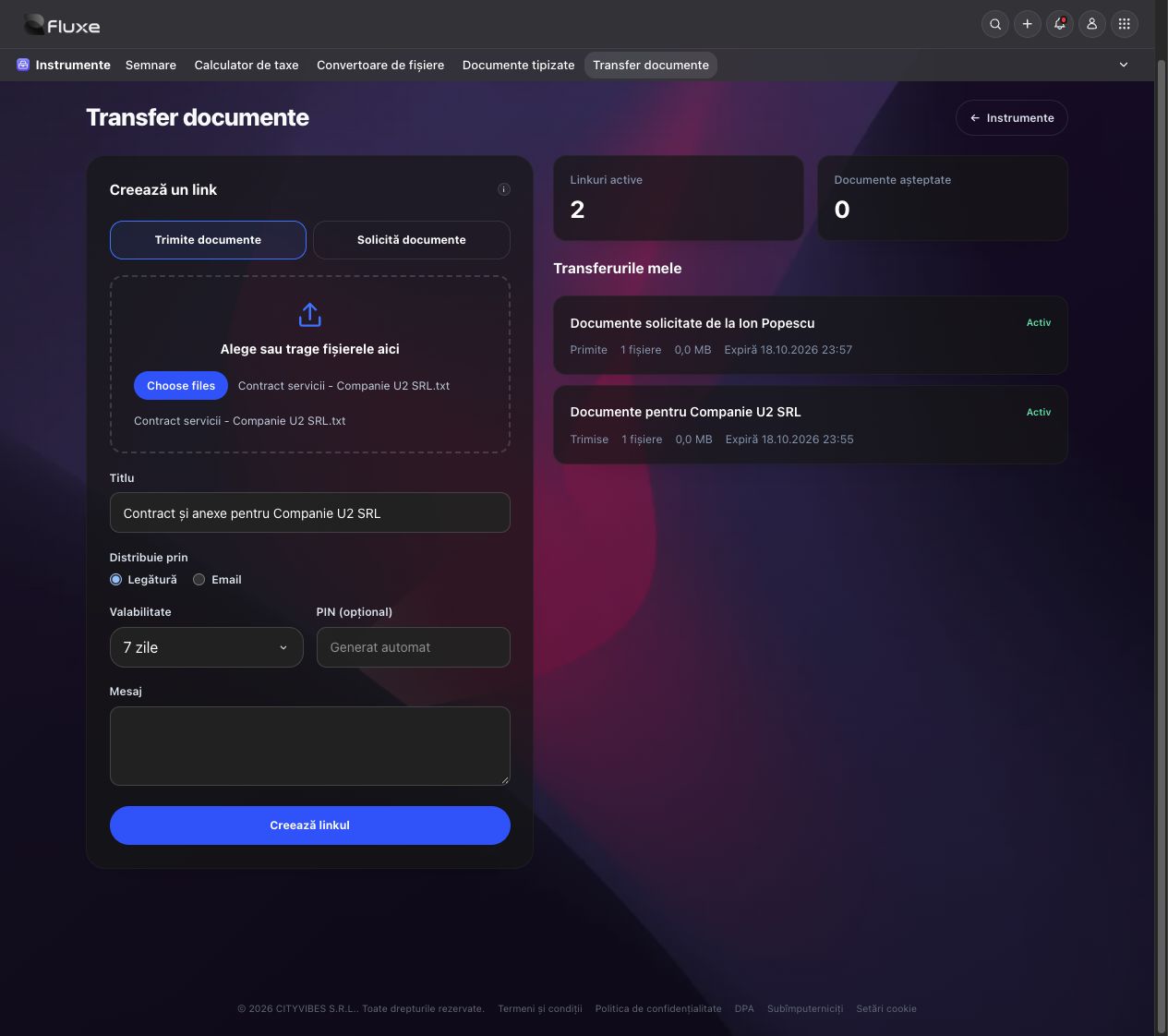
- In Tools → Document transfer → Dashboard, choose Send documents, enter title and access period, then add documents.
- Check files and recipient. If choosing email delivery, confirm the address before creating the transfer.
- The PIN is generated automatically unless you enter a custom one. Copy the link and PIN from the created transfer. The recipient enters the PIN before downloading files. For confidential documents, send the PIN separately from the link.
- In My transfers, search by title or recipient and filter by type, status and period. Active links shows transfers still allowing access. Open the transfer and close the link when documents no longer need access. Link expiry or closure keeps files in the account. Deleting the transfer permanently removes files; download needed copies first.
Related resources
Practical example
Prepare the contract and annexes for Companie U2 SRL, choose seven days and send the download link to the responsible person.
Frequently asked questions and solutions
PIN rejected?
Check every digit and that you are using the correct link. Repeated attempts temporarily limit access. An expired or closed link no longer allows download.
I reached the active-link limit. How do I create a new transfer?
In Active links, close an unneeded link, then return to the new form. Closing access keeps files in the account; deleting the transfer permanently removes them.