
Prepare
Templates and file conversionFill in a template for the document you need or convert a file to an available format.
Sign documents, estimate taxes, and check companies. Manage files and vehicles in the same Fluxe account.
Explore the toolsFluxe Tools cover everyday tasks: preparing documents, checking information, and keeping business records organized.
Fill in a template for the document you need or convert a file to an available format.
Estimate your taxes, read the official sources cited in an answer, and check a partner’s financial indicators.
Sign documents, request files through a PIN-protected link, and track company vehicles.
Tax estimates, answers with official sources, and file transfers inside Fluxe.
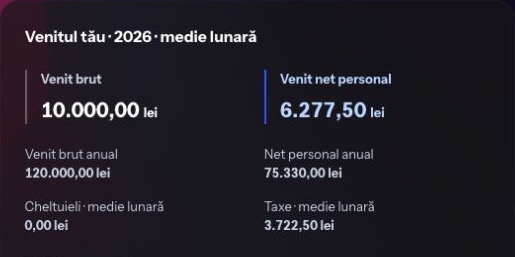
An estimate for planning. Review the data and tax conditions with your accountant before using the result.
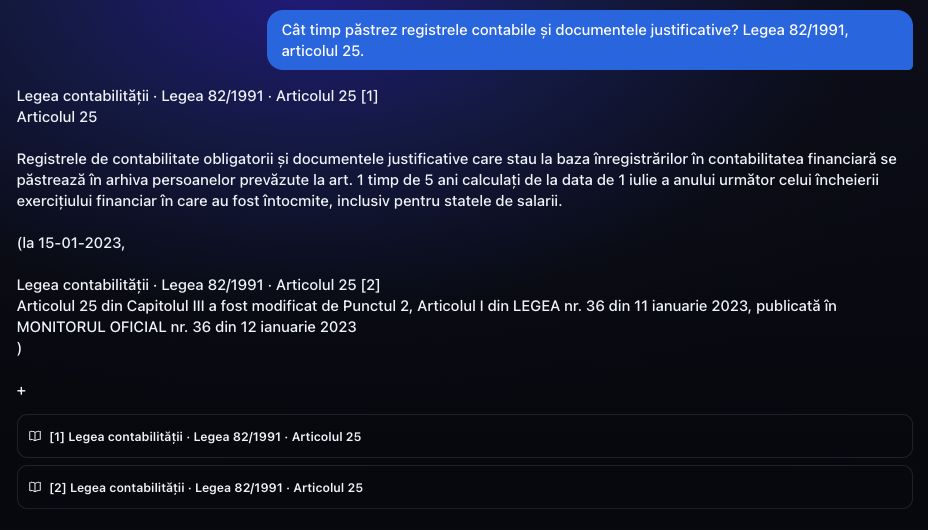
Check the date, article and exceptions in the official source before using the answer.
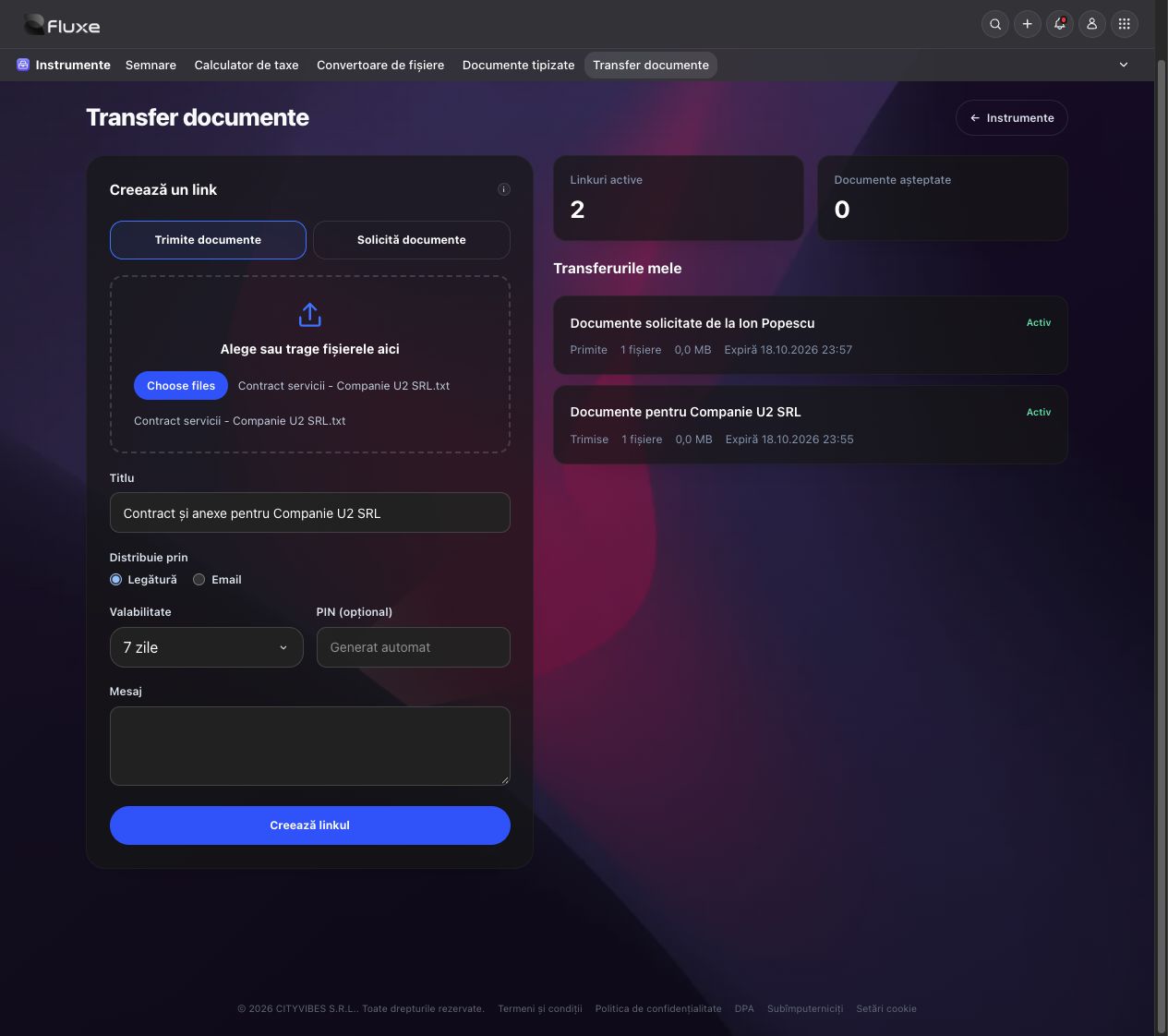
The recipient can download files without a Fluxe account during the access period you set.
See what each tool does and which plans include it.
Apply a handwritten signature to documents and request signatures through a PIN-protected link.
Professional · BusinessPrepare the document in your browser, authorize signing with your certificate in Fluxe Sign for Windows or Mac, and verify the signed result.
BusinessEstimate tax and contributions for PFA sole traders and companies, based on the tax regime and the information entered.
Professional · BusinessAsk questions about Romanian legislation, with access to the official articles used in the answer.
BusinessAnnual financial statements, financial indicators and risk signals, with interactive comparison charts.
Billing · Professional · BusinessConvert each file to its available formats and download the result.
BusinessPrepare contracts, offers, requests and company paperwork. Review your document, save a draft or download the PDF in Fluxe.
Professional · BusinessSend files and request documents through a PIN-protected link, with a configurable access period.
BusinessFuel receipts, GPS trips and vehicle paperwork in Fluxe. Review refuelling, select business trips and prepare mileage logs.
Professional · BusinessSigning, tax estimates, document templates, and vehicle records are available in Fluxe, depending on your plan.
Explore the toolsHow the tools work, what to check before using a result, and what each plan includes.
See how it works in HelpYou can draw or upload a handwritten signature and position it on the document. This feature does not apply a qualified electronic signature. Review the document, the signer's identity and the document's requirements before confirming the signature.
Check the year, legal form, tax regime, income, expenses and displayed warnings. The calculator provides a planning estimate; it does not file tax returns. Confirm special situations and results used for tax decisions with your accountant.
No. The recipient uses a link and PIN to download files or upload requested documents during the specified access period.
The available formats depend on the original. A scanned PDF does not automatically become an editable Word document or Excel spreadsheet. The result of an available conversion needs to be checked.
Compare access to Tools and the other Fluxe applications.
Compare subscriptionsBilling, Documents, Calendar, and the other applications for your business.