
Customers, suppliers and individuals
i
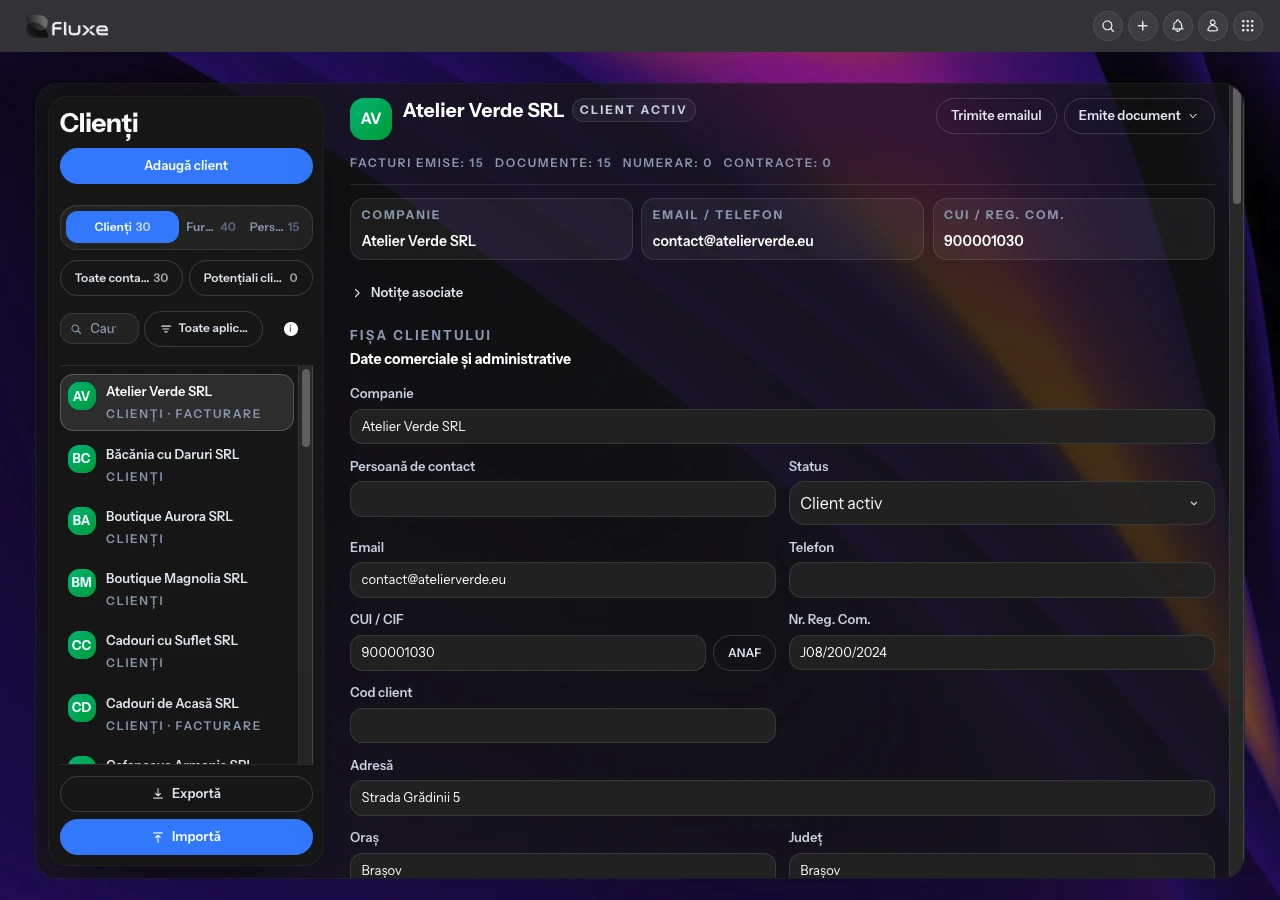
Separate lists, search by name, email, phone or tax identifier, and filters for the application the data came from.
Separate lists, search by name, email, phone or tax identifier, and filters for the application the data came from.
Commercial status and notes linked to each contact keep discussions and collaboration details together.
Information about issued invoices, documents, cash transactions and contracts appears alongside the contact, based on associated documents.
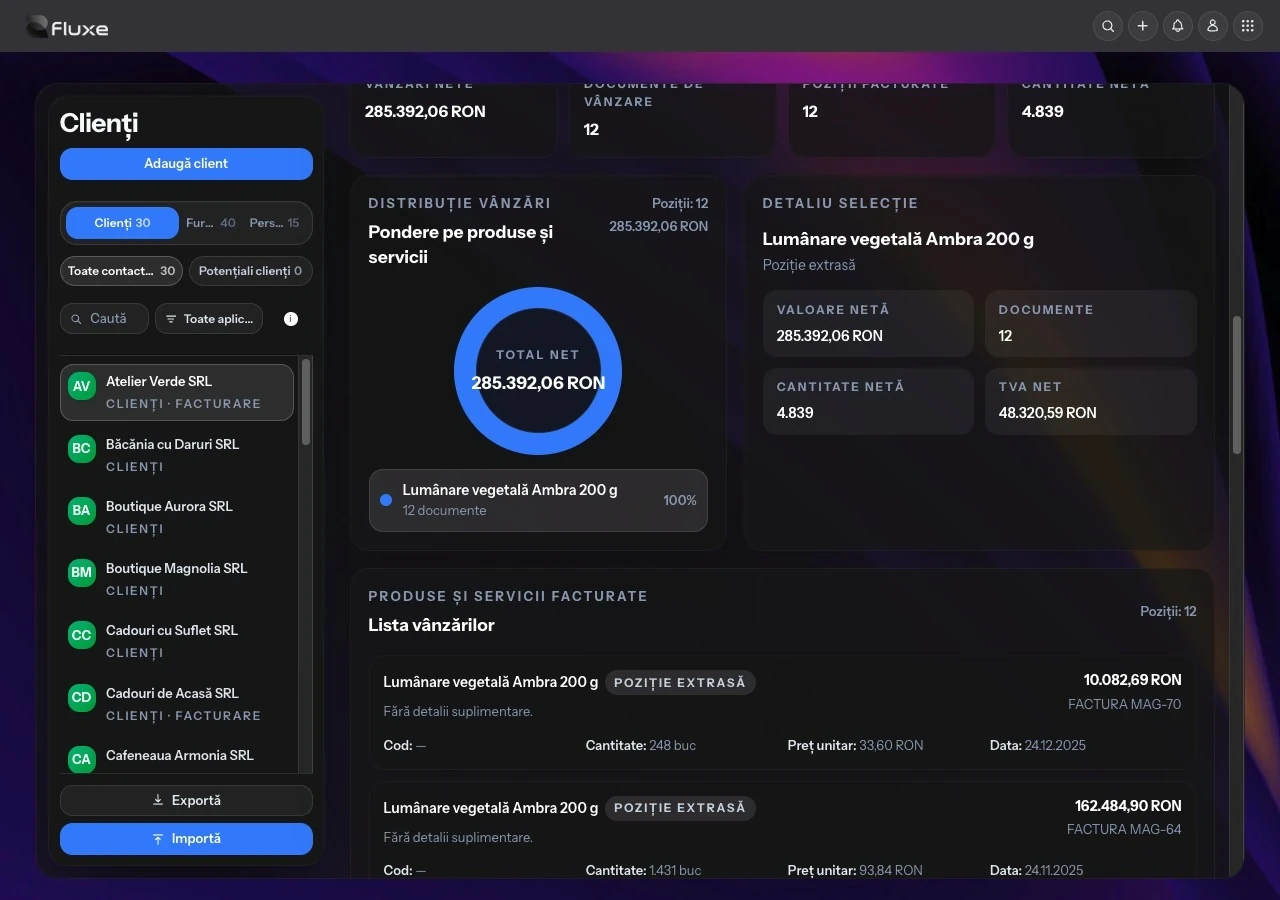
Products and services sold, net values and quantities are shown by customer and currency when associated documents are available.
The Excel template helps prepare a contact list. Exports include customer, supplier and individual contact data, with activity-period filtering.
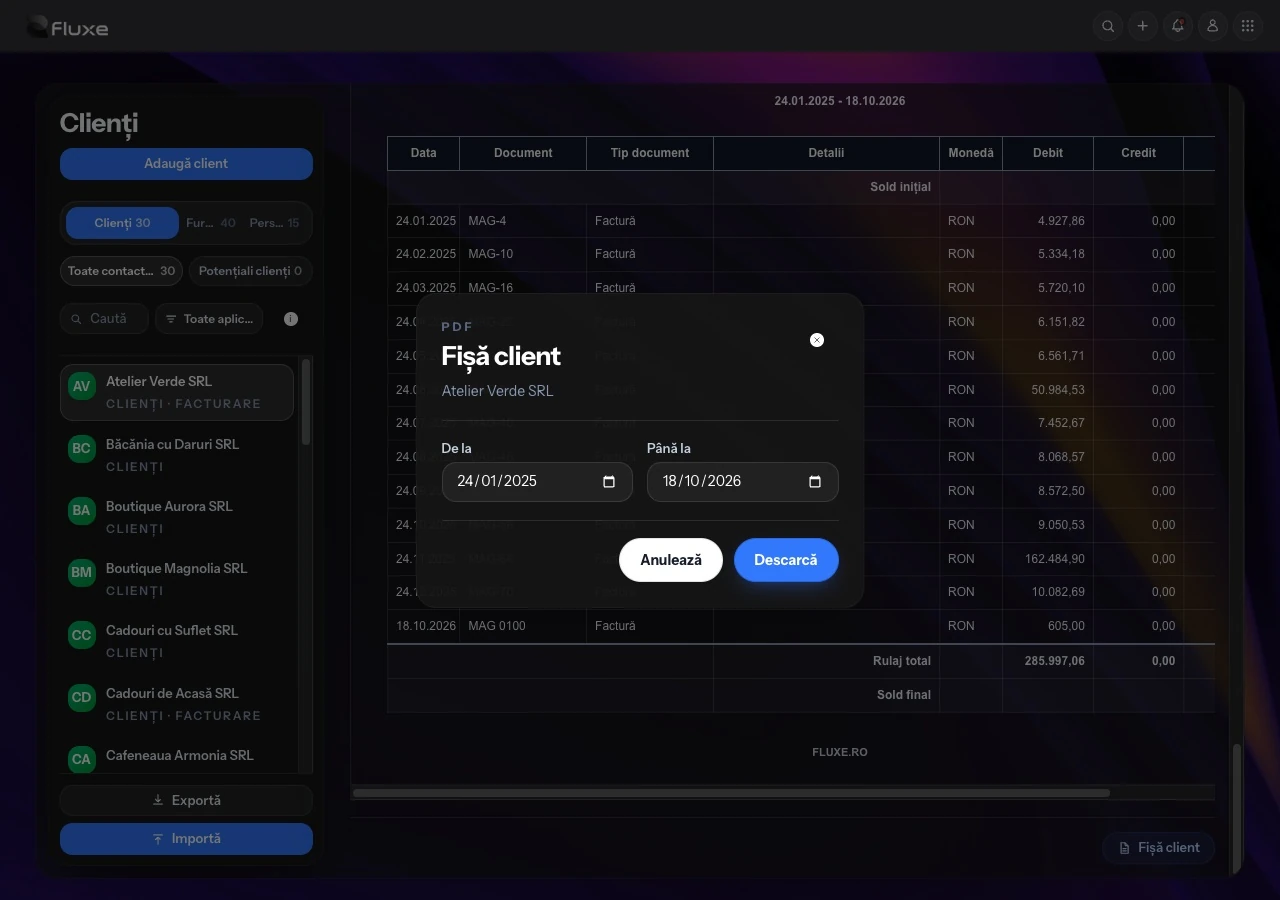
The statement for the selected period includes associated documents, debits, credits and the balance. It can be viewed in the application and downloaded as a PDF.
Yes. Open Import, download the Excel template, fill in the details and upload the .xlsx or .xls file. The template includes the name, tax or personal identifier, address, city, county, bank, IBAN and contact type. Check the details before importing.
Yes. The application has separate Customers, Suppliers and Individuals lists. Prospects can be tracked separately within the customer list.
Select the customer, open Customer statement and choose the period. Download the PDF with associated documents, debits, credits and the balance. Check the period and contact details before using or sharing the statement.
Statistics show products and services from documents associated with the customer, net values, quantities and document counts. Values are grouped by currency and depend on the documents available.
Yes. The Issue document menu provides access to the documents available to the account. Verify the partner’s identity and document details in the billing workspace before issuing, including when companies have similar names.