
See the whole month
Month view groups documents by day. Calendar markers help you find dates with documents and see which items need review.
Calendar Fluxe
See company documents, due invoices, and account activity for the day or month you choose.
Choose your subscriptionOpen a day for details or look through the entire month. Find documents and due dates in one place.
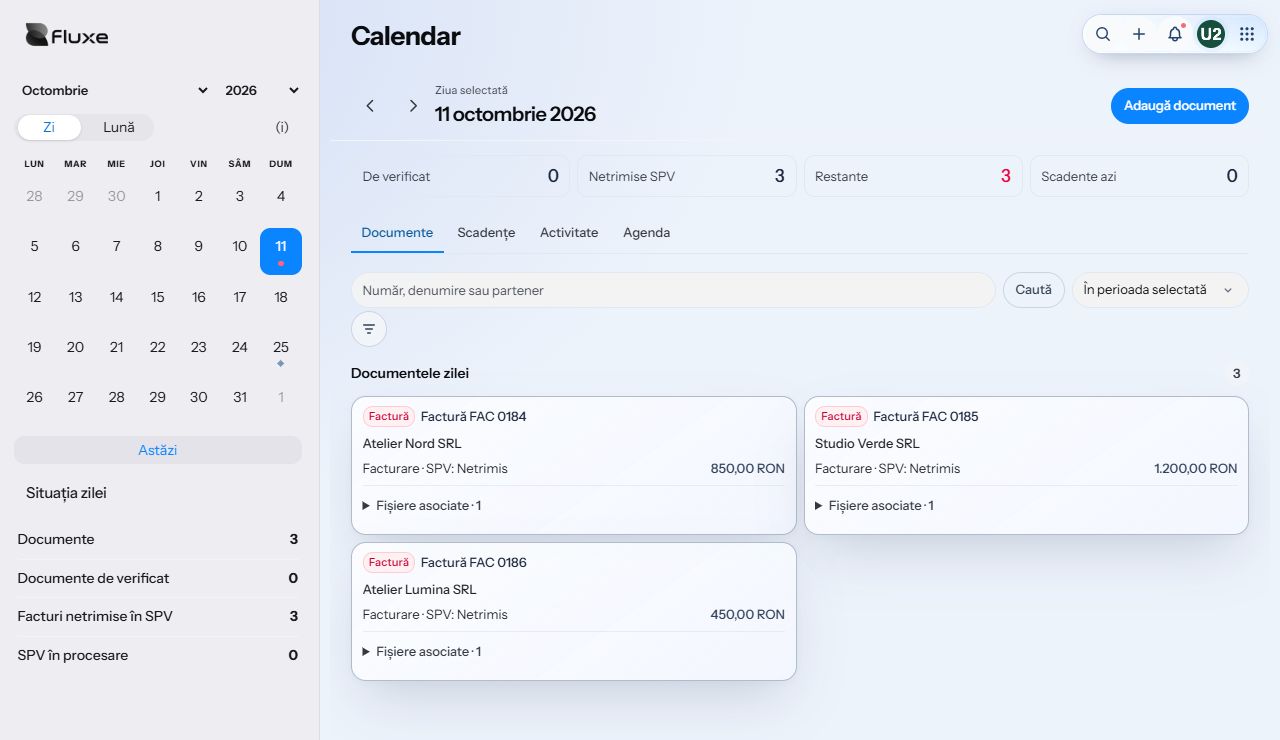
Month view groups documents by day. Calendar markers help you find dates with documents and see which items need review.
Pick a day to see the documents recorded on that date, with their type, partner, amount, and status. Open a document directly from the list.
Calendar shows documents awaiting review, invoices not yet sent to SPV, and outstanding balances. Open a due invoice directly from the Due dates tab.
Find a document, review the original, or upload a file to the date you have open.
Search by number, name, or partner in the selected period or across all of Calendar. Narrow the results by source.
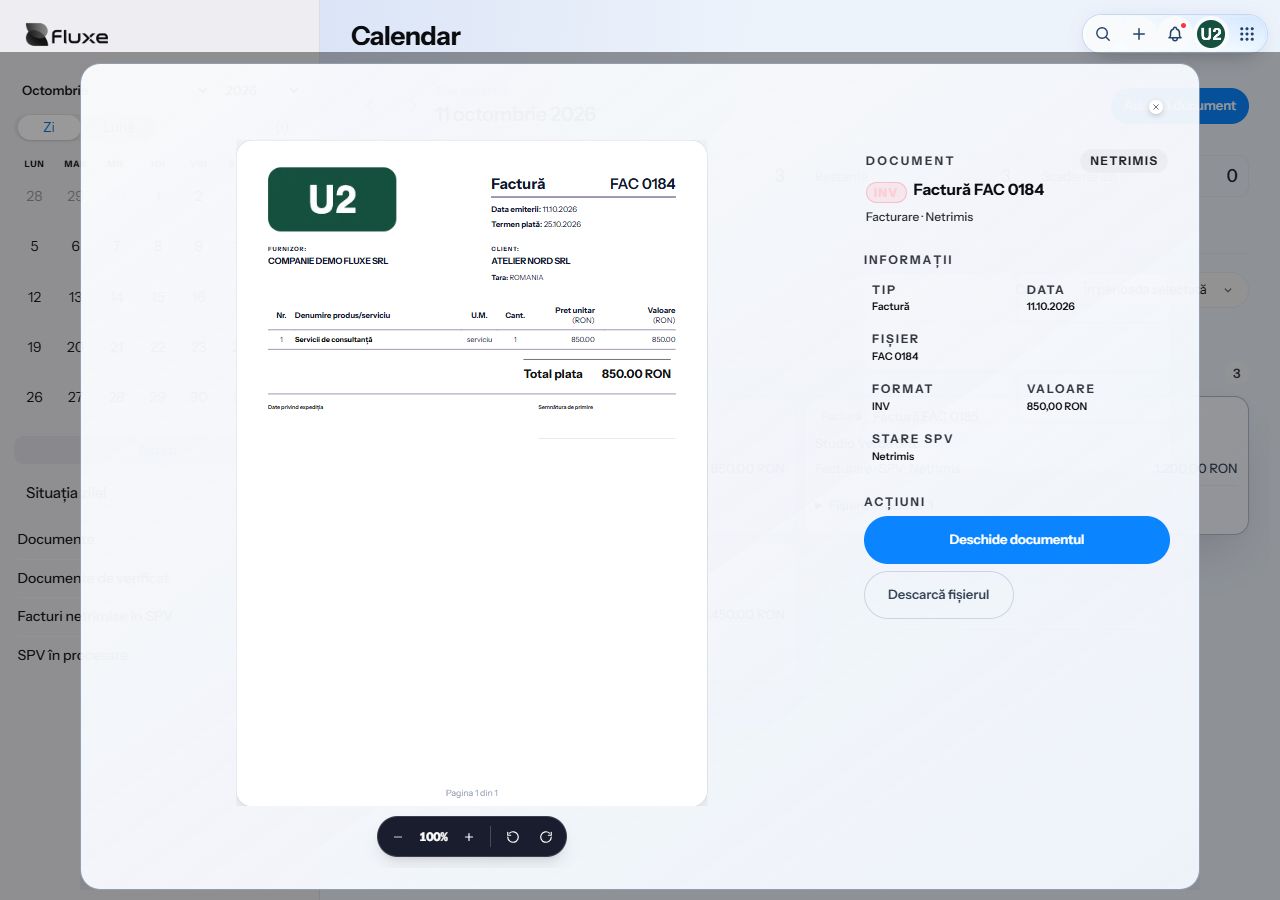
Open a preview to read the document and check its date, amount, and status. Download the file from the same window.
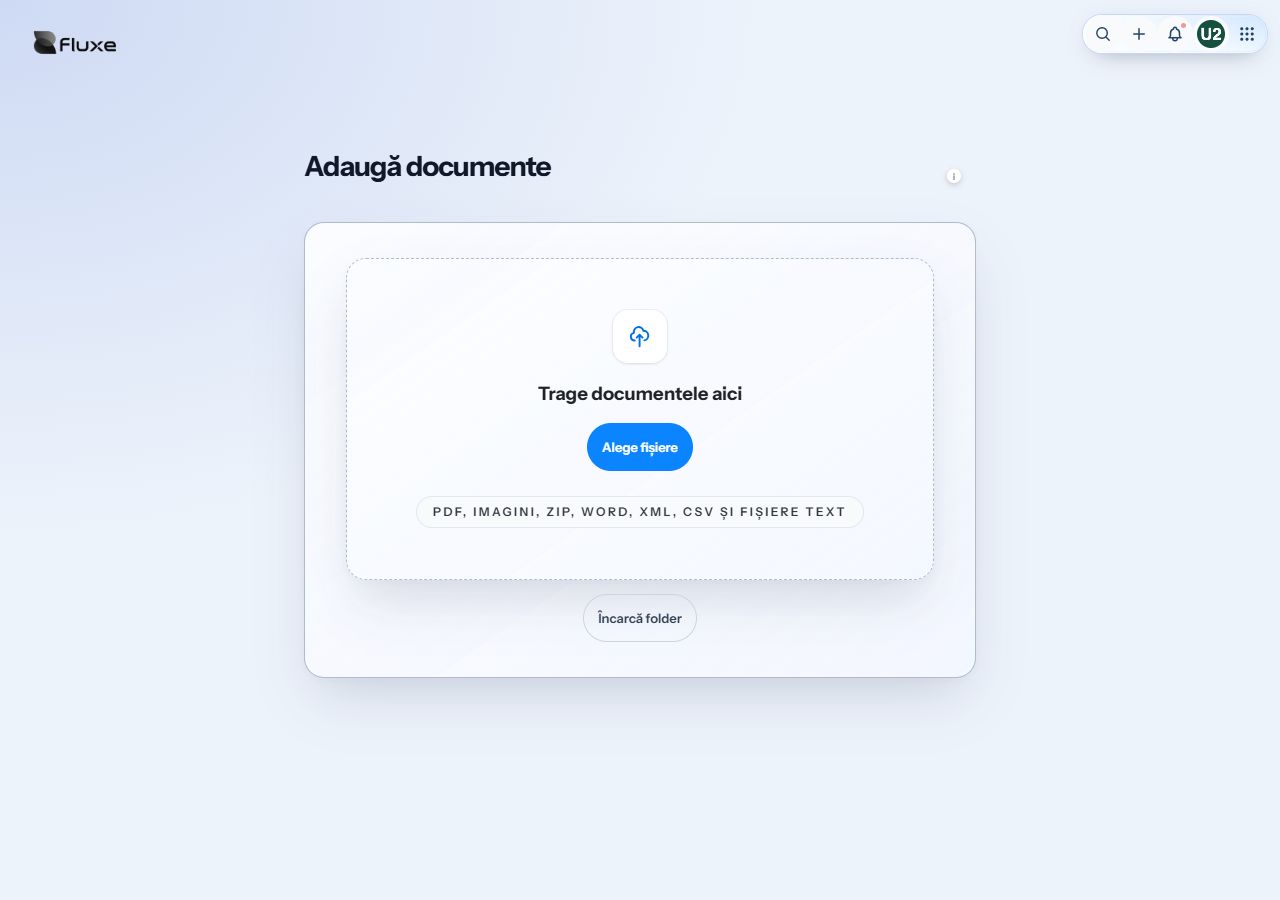
Open the upload screen from Calendar with the selected date. Choose a file, then review its date and details before using it in your records.
The 7-day agenda shows due dates and reminders scheduled in Notes. The Activity tab shows records available for the selected period.
Pick the day, identify the invoice by partner or amount, and open the PDF directly from the list.
See the day’s documentsOpen Due dates, see which invoices still have a balance, and go straight to the one you want to follow up on.
See due datesBrowse days with documents and check what is missing or still needs approval before month-end.
See the month’s documentsDay shows documents for a specific date. Month lists documents for the period grouped by day so you can open the date you need.
Yes. Search within the open period or across all of Calendar. Results show the date of each document.
Yes. Choose a day and select Add document. Review the date and document details before using it in your records.
Calendar accounts for confirmed payments and reversals. Open the invoice from Due dates to review its details.
The agenda brings together invoices due for payment and reminders scheduled in Notes, starting today and based on your account permissions.
Use Calendar to find documents and due dates. Ledgers, reconciliation, and accounting checks are in the Accounting app.